Loading data pack…
Phishing uses a convincing email, text, call or video to get someone to click, pay or hand over access. Phishing Defense puts employees inside five of these attacks, from an inbox invasion to a deepfake CEO, so they practice spotting the warning signs and reporting them.
See the Phishing Defense missions in a demo
All 5 together take about 30 minutes on average, and people play them in any order.
Spot a fake IT email and learn what to check before trusting its links or requests.
Recognize a fake delivery text and the warning signs of an SMS phishing attempt.
Question an unexpected IT support call and verify the caller before sharing information.
Recognize a fraudulent request posing as your CEO and verify it through a trusted channel.
Spot a request from someone impersonating a vendor before acting on it.
The first mission, straight from the game. Walk to the mission terminal, then find the phishing email and report it.
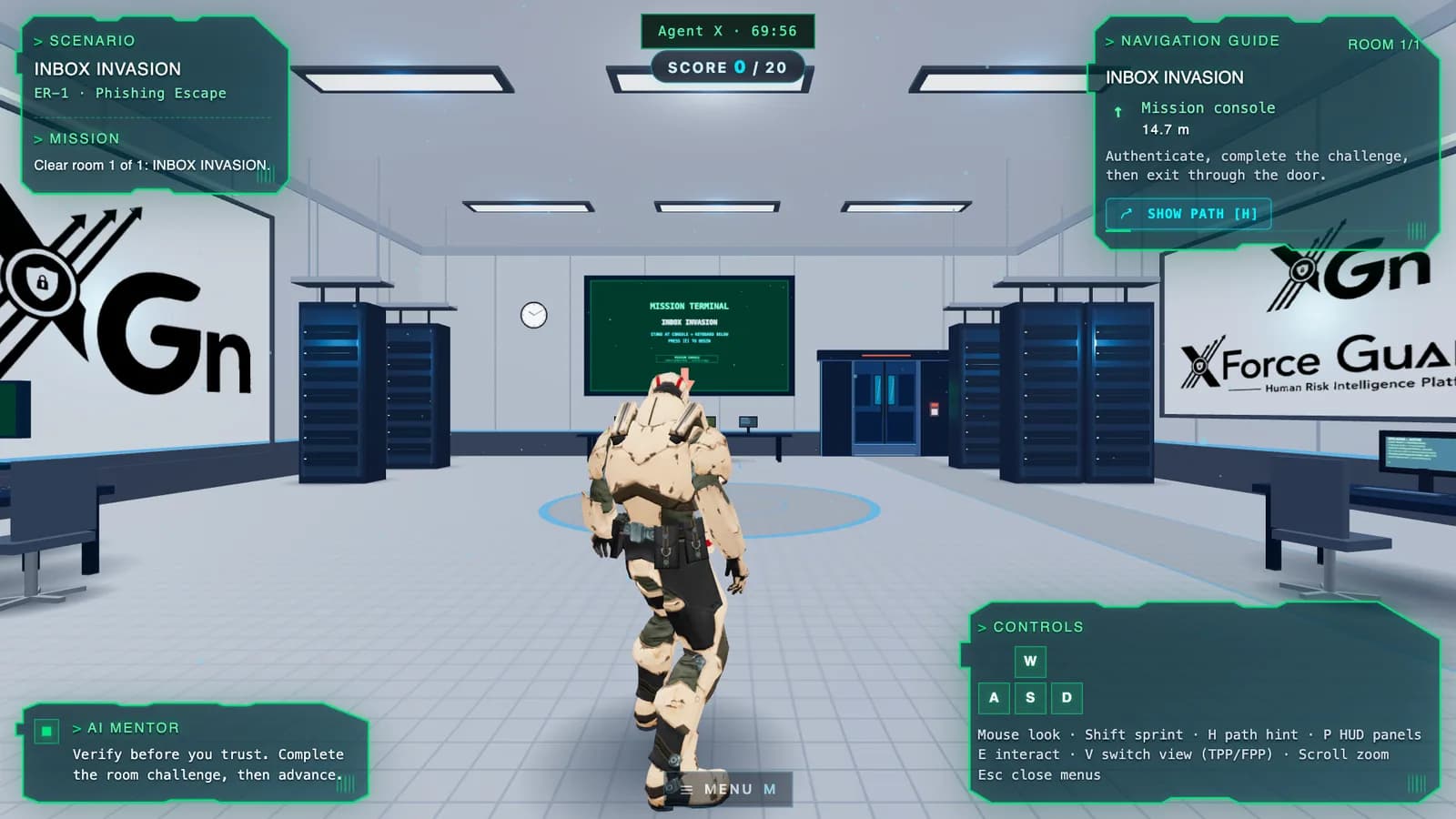
About five minutes, with no sound. Nothing you do here is recorded.
Every employee, starting with anyone who handles email, invoices, supplier contacts or account access.
The Phishing Defense data pack takes about 30 minutes on average, for all 5 missions together. Some people finish in 15 minutes and others take up to an hour, depending on how much they explore. People can play the missions one at a time, so the pack fits around the working day.
Every employee, starting with anyone who handles email, invoices, supplier contacts or account access. The missions need no security background, because people learn by making the decisions themselves.
Guardian runs in a web browser, with nothing to install, in English. Everyone who finishes gets a completion certificate, and managers can export department and executive reports as PDF or Excel.
Related data packs: Data Protection Essentials and Remote Work Security. Compare the security awareness training plans, or browse all 10 data packs.